Voxist: read your voicemail
- 4.2
- Rating
- 100.00K
- Installs
- Free
- Price

 Analysis by App-foxy
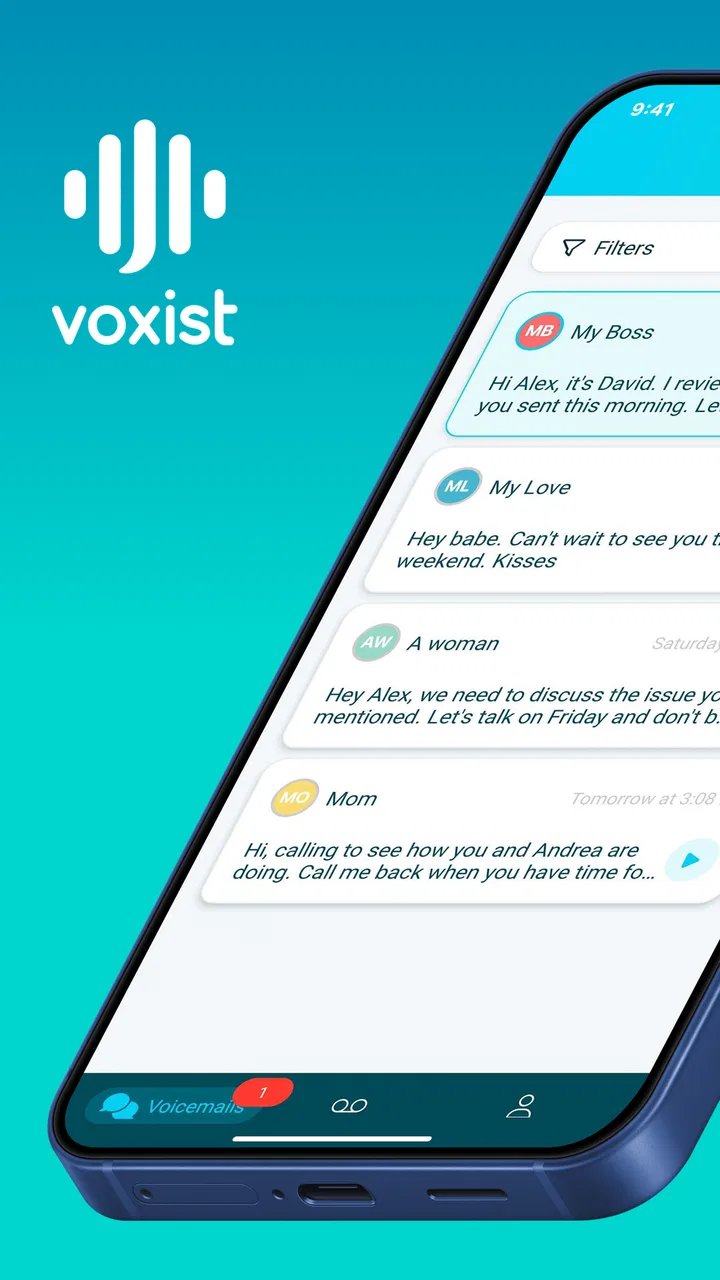
I came to Voxist expecting a simple voicemail replacement, but it is better understood as a productivity tool for turning missed calls into something I can deal with quickly. Its main appeal is visual voicemail: instead of calling a mailbox, listening in sequence, and trying to remember details, I can work from a written view of messages and use customized greetings to make the experience feel more deliberate. That difference matters most when my phone is busy, I am in a meeting, or I need to scan several messages before deciding which caller deserves an immediate reply.
The app is developed by Voxist and is available free of charge, with optional in-app purchases ranging from $2.49 to $14.99 per item. It sits in the productivity category rather than acting like a general-purpose dialer, so I judge it mainly by how much time it saves around missed calls. It has an Everyone content rating, runs on Android 7.0 or later, and the current version is 1.100.2. Those details make it accessible to a broad range of Android users, although the actual experience still depends heavily on the phone line and carrier behind the voicemail service.
Where the experience usually gets stuck
I find the workflow most likely to stall before a message reaches the screen: voicemail depends on the path between an unanswered call and the mailbox, not just on opening the app. The next section focuses on a few checks that help separate a setup snag from a problem with the transcript itself.
You May Also Like

 Blood Strike: 2.5 Anniversary
Blood Strike’s Loadouts Turn Every Drop Into a Tactical Gamble
A close look at Blood Strike’s custom loadouts: how fast access to signature weapons reshapes its battle royale rhythm, rewards preparation, and narrows the gap between fights.

 Pandora - Music & Podcasts
Pandora’s Music Is Easy to Start, but Harder to Recover
Pandora’s strength is its low-effort path from a seed to a station. Its weak spot is how much confidence it asks you to place in connection, setup, and quiet recovery.

 8 Ball Pool
 Is Built on Rivalries, Rematches, and Routine
A close look at the rivalries, rematches, shared routines, and unanswered safety questions that turn a quick pool match into a persistent mobile community.

 Samsung Music
’s Quiet Strength Is Playing What You Already Own
Its reach comes less from spectacle than from dependable access to a personal library. That simplicity is both the app’s strongest retention engine and its ceiling.

 AccuWeather: Weather Radar
AccuWeather Review: A Quick, Clear Forecast for Everyday Decisions
For everyday plans, the best forecast is the one you can understand quickly. AccuWeather makes rain timing, radar, and local conditions easy to act on, with a few trade-offs.

 Hill Climb Racing
Why Hill Climb Racing Still Turns Crashes Into One More Run
A tiny car, a bumpy hill and one more upgrade: Hill Climb Racing keeps resurfacing because its simple chaos makes every near-miss feel personal.
More From Our News Desk
View All News


The first hurdle is not reading a message
The most important thing I learned is that visual voicemail is not completely independent from the phone network. A user may install an app, open it, and expect everything to appear immediately, but voicemail access can involve the phone number, carrier settings, call forwarding behavior, and the device’s own telephone configuration. When something fails, it is tempting to blame Voxist straight away. In practice, the problem may be that the voicemail service has not been connected correctly in the first place.
This is why the first-use experience can feel less instant than a messaging app. A messaging app usually creates its own account and starts from there. A voicemail tool has to fit into an existing calling system. If the phone still sends unanswered calls to a carrier mailbox that the app cannot read, the inbox may look empty even though callers have left messages. That is a setup issue, not necessarily a failure of transcription or organization.
I also found that expectations need to be realistic. A written voicemail is useful for finding the point of a message, but it should not automatically replace listening to the original recording when the wording matters. Names, addresses, phone numbers, accents, background noise, and emotional tone can all be easier to understand in audio. I use the text as a fast first pass, then listen when a message involves anything important or ambiguous.
Customized greetings need a purpose
The greeting option is more useful than it first appears, but only when I treat it as part of a call-handling routine. A generic greeting is fine for personal calls, while a clearer, more intentional greeting can tell callers what to do when I am unavailable. The trade-off is that changing a greeting casually can create confusion for people who call often. I recommend writing down the wording before recording or selecting one, especially if the phone is used for both private and work-related calls.
A greeting should also match the way I actually respond. If I rarely return calls during the day, promising a quick response creates an expectation I may not meet. Voxist can make missed calls easier to manage, but it cannot compensate for an unclear process after the message arrives. I get the best results when the greeting sets a sensible expectation and the inbox becomes the place where I decide what happens next.
Text is convenient, but context still matters
The strongest benefit is speed. I can glance at a message and identify whether it is a delivery update, a request from a colleague, a wrong number, or something that needs attention. That is much less disruptive than dialing into voicemail and waiting through messages that are irrelevant. The limitation is that a transcript can flatten context. A short sentence may look urgent on screen but sound routine in the recording, or a transcription may make a proper name look like an ordinary word.
My practical rule is simple: use the text to sort, not to blindly verify. For routine messages, reading may be enough. For financial matters, appointments, directions, legal details, or anything involving a number, I listen before acting. This small habit prevents the main convenience of visual voicemail from turning into a source of avoidable mistakes.
Setup checks that prevent avoidable frustration
I prefer to test one change at a time, because call routing, alerts, and the inbox can fail in different ways. The checks below are meant to establish a dependable baseline before you build a routine around visual voicemail.
Start with the phone line, not the inbox
Before judging the app, I test the underlying voicemail path. I call the phone from another number, let it ring without answering, and leave a short message containing an easy-to-recognize phrase. Then I check whether the call reaches voicemail at all. If the caller never reaches a mailbox, there is nothing for a visual voicemail app to display. This test separates a network or forwarding problem from an app problem in a few minutes.
I also make sure the phone can receive calls normally and that the device is not in a state where calls are being diverted unexpectedly. A missed call that never enters the intended voicemail system will not become a readable message later. This is one of the least obvious points for new users because the app itself may be working perfectly while the phone line is routing unanswered calls elsewhere.
Give the first test a clean signal
For an initial check, I leave a short, quiet recording rather than a long message made in a noisy room. I say my name, the reason for calling, and one simple detail. That gives me a practical way to judge whether the written result is usable without introducing several difficult words at once. If the first test is already full of background noise or overlapping speech, it becomes hard to tell whether the issue is the recording or the service.
After the message appears, I compare the text with the audio. I pay particular attention to names, numbers, and words that could change the meaning of a request. This is not just a quality check; it helps me learn when I can trust a quick glance and when I should open the recording. The more familiar I become with that boundary, the more useful the app feels in daily work.
Check the app and the phone separately
If the app does not behave as expected, I avoid changing several things at once. I first close and reopen it, confirm that the phone has a working connection, and try the controlled test call again. If the message appears after that, the earlier issue may have been temporary synchronization rather than a permanent setup failure. If it still does not appear, I test voicemail through the phone’s usual method. That comparison tells me whether the mailbox itself contains the message.
Keeping the test simple is important. I do not delete existing messages while troubleshooting, and I avoid repeatedly changing greetings or call settings without noting what I changed. A small written record of the steps makes it easier to undo an unsuccessful adjustment. It also prevents the common situation where a user no longer knows which setting caused the behavior to change.
Understand the role of the Android version
Voxist supports Android 7.0 and later, which covers many older devices as well as newer ones. Still, support for an operating system does not guarantee identical behavior on every phone. Manufacturers can alter how calls, notifications, background activity, and battery controls work. If a message arrives but I do not notice the notification, I check the phone’s own notification controls and battery restrictions rather than assuming the voicemail was lost.
This distinction matters because a delayed alert and a missing message are different problems. I can open the app to check whether the message is present. If it is there, the next step is to inspect the phone’s alert behavior. If it is not there and the carrier mailbox also lacks it, I look at the call path instead. This simple separation avoids wasting time reinstalling an app when the real issue is the device’s background behavior.
Decide carefully before paying
The free entry point makes it reasonable to test the basic workflow before considering an in-app purchase. I would not pay simply because the setup feels confusing. First I confirm that calls reach voicemail, messages appear, transcripts are useful enough for my voice environment, and the greeting behaves as expected. Only then can I decide whether an optional purchase solves a real need rather than compensating for an unresolved configuration problem.
The available purchase range is broad enough that I would read each offer carefully before confirming anything. My advice is to identify the specific benefit I expect, then check whether that benefit affects my everyday routine. Someone who receives only an occasional missed call may gain little from paying, while someone who sorts many calls during a busy workday may value the time saved. The right choice depends on usage, not on the presence of a purchase button.
Recovering a workflow when messages seem missing
When a message seems missing, I find it useful to create a fresh reference rather than repeatedly checking the same uncertain call. The next section looks at how a controlled test and a quick comparison with ordinary voicemail can narrow down where the break occurred.
Use a controlled call as a reset point
When a message appears to have vanished, I begin with a new test rather than trying to interpret an old one. I call from a different phone, leave a short message, and wait briefly before checking again. A new, clearly identifiable message gives me a clean reference. If it arrives, the service is at least functioning at that moment, and the earlier message may have been affected by routing, timing, or an unusual recording.
If the test does not arrive, I check the regular voicemail route. Hearing the test message through the conventional method tells me that the carrier mailbox received it, even if the visual inbox has not updated. That points toward synchronization or account connection. If the conventional mailbox is also empty, I focus on call forwarding, network availability, and the phone line rather than repeatedly refreshing the app.
Keep audio as the source of truth
One of the best habits with any voicemail-to-text workflow is to preserve the recording until I have finished acting on it. I may read the transcript to decide what to open first, but I listen to the audio before copying a number, following an address, or responding to a sensitive request. This is especially important when a caller speaks quickly or uses words that a transcription system may interpret in more than one way.
That approach also makes Voxist more practical for shared responsibilities. If I am sorting calls for a small household or a busy personal schedule, the text helps me label the urgency, while the audio provides the final confirmation. I do not treat the transcript as a permanent replacement for the original message; I treat it as an index that gets me to the right recording faster.
Build a small triage routine
I get more value from the app when I process messages in batches instead of reacting to every notification. I scan the written messages, identify anything time-sensitive, listen to those first, and then handle routine calls together. This is a non-obvious advantage of visual voicemail: it changes voicemail from a linear queue into a list I can prioritize.
For example, imagine I am commuting and cannot answer a call from an unknown number. Later, I can read the message and see whether it concerns a delivery, a service appointment, or a personal request. I listen to the recording if the wording is unclear, then return only the calls that need action. Without that overview, I might spend time dialing through unrelated messages or forget an important caller because it was buried behind several routine ones.
Use greetings to reduce repeat calls
A thoughtful greeting can improve the workflow before the message is even left. If callers regularly ask for the same information, I can use the greeting to guide them toward leaving the detail I need, such as a name, a reason for calling, or a suitable callback window. The benefit is not flashy, but it reduces the number of incomplete messages that require another call just to clarify the original request.
The trade-off is that a detailed greeting takes longer for every caller to hear. I keep it short enough that familiar callers do not feel trapped in instructions. I also review it when my schedule changes. A greeting that was useful during a busy week can become misleading later, particularly if it suggests a response time that no longer fits my routine.
When the app is not the cause
A quiet inbox does not always mean the app failed; the phone line, carrier mailbox, or device alerts may be involved instead. I look for patterns across calls before changing settings, which makes the next section’s troubleshooting distinctions more useful.
Carrier behavior can decide the outcome
Voicemail is tied to the telephone service, so carrier behavior can affect what any visual voicemail tool receives. Call forwarding settings, unavailable service, roaming conditions, or a carrier mailbox that is not active can all interrupt the chain before Voxist has anything to process. If ordinary voicemail is unreliable, changing apps is unlikely to solve the root problem.
I look for patterns. If only calls from one person fail, the caller’s number or network may be involved. If every unanswered call fails, the phone line or forwarding path is more likely. If messages arrive but alerts are inconsistent, I inspect the Android device. This kind of pattern-based troubleshooting is more useful than assuming every failure has the same explanation.
Phone settings can hide a working inbox
A phone may receive and store a message while suppressing the alert that should draw attention to it. Battery-saving behavior, notification categories, or a temporary loss of connectivity can make the app seem inactive. I check the inbox directly before concluding that nothing arrived. If the message is visible there, I then adjust the phone’s notification behavior in a measured way.
I also avoid relying on a single notification as proof that the service worked or failed. Notifications are only the signal; the message itself is the important result. This is particularly relevant for people who keep their phone quiet during work or overnight. A visual inbox is valuable precisely because it lets me review missed calls on my own schedule, but only if I remember to open it when alerts are intentionally muted.
Some users need a different kind of voicemail
Voxist is a good fit for people who want to screen and prioritize missed calls. It is less suitable for someone who needs a full business phone system, complex team routing, or a highly formal call-center workflow. Its strength is making personal voicemail easier to scan, not replacing every communication tool around a phone number.
I would also hesitate to recommend it to someone who never receives voicemail or who prefers listening to every message in order. The visual layer adds value only when the ability to scan matters. Likewise, people who handle highly sensitive information should decide for themselves whether transcription fits their comfort level and habits before making it part of their routine. In those cases, ordinary carrier voicemail may be the simpler choice.
My practical verdict after using it as a daily filter
Voxist succeeds when I use it as a decision-making layer over voicemail rather than as a magic fix for telephone problems. The written view saves time, customized greetings make missed calls feel more intentional, and the inbox supports a calmer way to sort interruptions. Its most useful feature is not merely seeing words on a screen; it is being able to decide which messages deserve attention without listening to everything in sequence.
The friction is concentrated around setup and diagnosis. Users need to confirm that their phone line actually sends unanswered calls to the voicemail path the app can use. They also need to remember that transcripts are convenient interpretations, not infallible records. Once those points are understood, the service becomes easier to judge fairly. If the underlying mailbox works and the text is accurate enough for the user’s calls, the app can be a meaningful productivity improvement.
Its public reception is encouraging, with a 4.2 average from around 11K ratings and more than 100K installs. I see those figures as evidence that the concept works for a substantial audience, not as a guarantee that every carrier, phone, or speaking environment will behave identically. The developer is Voxist, the app is free to start, and optional purchases are available, so I would begin with a real-world trial rather than committing based on the description alone.
My recommendation is straightforward: try it if missed calls regularly interrupt your day and you want a quick way to sort them. Perform one controlled test call, compare the transcript with its audio, and make sure your greeting matches how you actually respond. Skip it if your voicemail service is unreliable, you rarely receive messages, or you need a broader business communications platform. For the right user, Voxist turns an overlooked phone feature into a manageable daily queue; for everyone else, the usual carrier voicemail may remain the less complicated option.
FAQs for Voxist: read your voicemail
01What is Voxist: read your voicemail?
Voxist is a visual voicemail app that converts voicemail messages into written transcriptions, allowing you to read them instead of listening to every recording. After setup, it can organize incoming voicemails in one place and may provide notifications when a new message arrives. It is designed for people who want faster access to messages, especially when they are busy, in a meeting, or unable to play audio.
02How does Voxist transcribe voicemail messages?
Voxist uses speech-to-text technology to analyze voicemail recordings and present their content as text. The accuracy can vary depending on the caller’s accent, background noise, speaking speed, audio quality, and language. In my experience, clear messages are generally easier to understand through transcription, while important details such as names, phone numbers, or addresses should still be checked against the original audio whenever possible.
03Does Voxist work with every mobile carrier and phone number?
Voxist availability depends on your country, mobile carrier, phone plan, and the type of number you use. The app may require voicemail forwarding or specific call settings to receive messages correctly, and some carriers may not support every feature. Before downloading, check Voxist’s current compatibility information and confirm that your carrier allows third-party visual voicemail services in your region.
04Is Voxist free to use, or does it require a subscription?
Voxist may offer a free version or trial with limits on features such as transcription volume, storage, greetings, or the number of voicemail messages handled. Additional tools and higher usage limits can require a paid subscription, depending on the plan available in your location. Review the pricing page and in-app purchase terms carefully before starting a trial, particularly if automatic renewal is enabled.
05Is my voicemail content private and secure with Voxist?
Because Voxist must process voicemail recordings to create transcriptions, users should understand how their audio and text data are handled before using the service. Read the app’s privacy policy for information about collection, processing, retention, sharing, and account deletion. Avoid relying on transcription for highly sensitive information unless you are comfortable with the service’s security practices and permissions.
Pros
- Transcribes voicemails into readable text for quick scanning.
- Supports visual voicemail management without calling your mailbox.
- Makes it easy to search
- organize
- and revisit important messages.
- Can help users avoid missing details in lengthy voice messages.
- Useful for separating personal and work voicemail communications.
Cons
- Transcription accuracy may drop with accents
- background noise
- or poor audio.
- Some features may depend on your carrier or local voicemail setup.
- Privacy-conscious users may dislike cloud processing of voicemail content.
- Notifications can be delayed when network coverage is weak.
- The app may be less useful if you rarely receive voicemail messages.

Voxist: read your voicemail
Gallery